
Everything your car tells you, in one place.
Voltessa reads the data your car sends and turns it into a logbook you can read at a glance. Here is what it does today, and where its limits are.
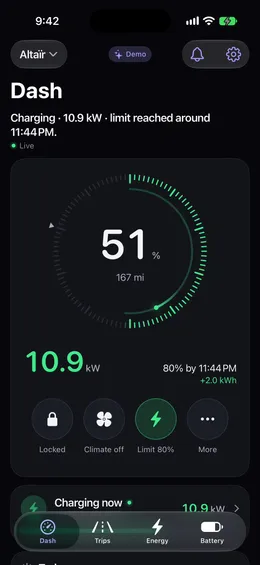
Your car at a glance
Driving, charging, parked or asleep, with the age and source of every value.
- Charge level and range, in a single sentence that says what the car is doing
- Location and address, only if you allow it
- Locks, doors, windows, tire pressures and software version
- Live, recent, last known state or out of date: every value says which
Every trip, automatically
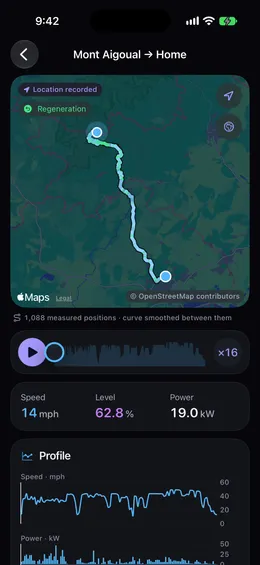
Trips are detected around the clock, drawn on the map and replayed.
- Distance, duration, speed, energy, efficiency, outside temperature and cost
- Replay with speed, power and regeneration along the route
- Tags, notes and filters
- Export as CSV and GPX
- Missing data is shown, never hidden
Trips are recorded from the moment your car is connected to Voltessa. Voltessa is not a tax-compliant mileage log.
Every charge, live
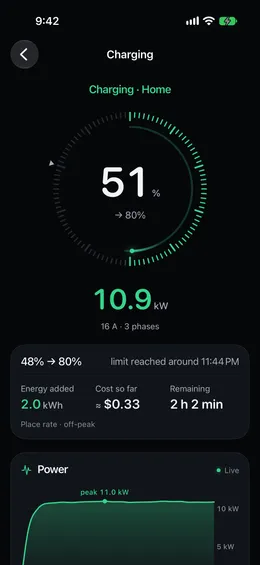
Follow a charge as it happens, at home too.
- Live power, charge level and estimated finish time
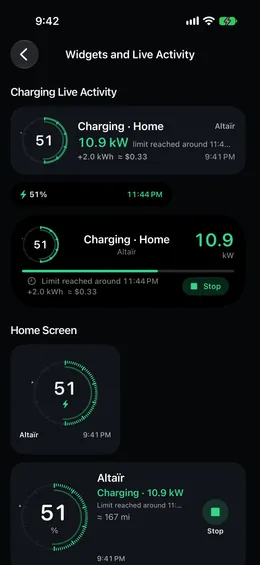
- A Live Activity on the Lock Screen for every charge
- Power curve and charge level for every session
- Home rates with peak and off-peak hours and seasons, fast-charger rates, and the real cost of each session
Your charging history starts when your car is connected to Voltessa.
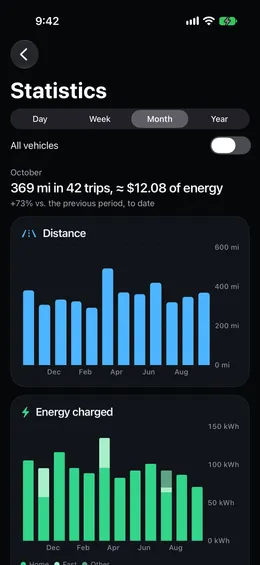
Energy and costs
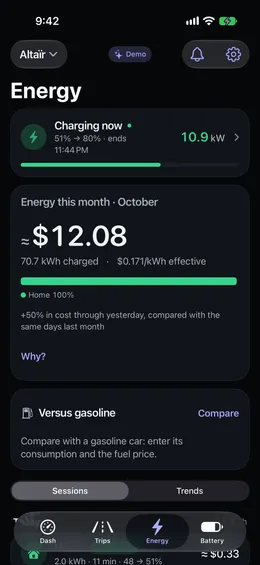
Where your energy comes from, and what it costs.
- Energy of the month by source: home, fast chargers, elsewhere
- Cost per session and per trip, in your currency
- Efficiency per trip and per month
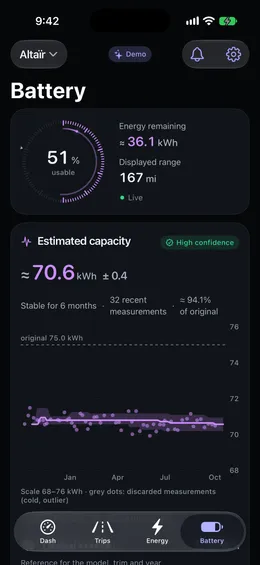
Battery health, explained
An estimate you can read, with its margin and its method.
- Estimated usable capacity after each significant charge
- Trend over time
- A health percentage only once the estimate is reliable
It is an estimate built from your car's charging data, not a certified battery test.
Insights and monthly recap
Trends that read like a sentence, then the details.
- Trips, energy and battery, month over month and year over year
- A monthly recap you can share
Alerts that matter
Few notifications, each one useful.
- Charge finished, interrupted or without power
- Not plugged in at home in the evening
- Left unlocked, window open
- Low tire pressure, low battery, software update
- Categories and quiet hours
Widgets and Live Activity
Your car without opening the app.
- Home Screen and Lock Screen widgets that always show when they were updated
- A charging Live Activity for every charge, at home too
Siri and Shortcuts
Ask Siri or use Shortcuts to check your car's status and, if you allow commands, to lock it, stop charging or start climate control.
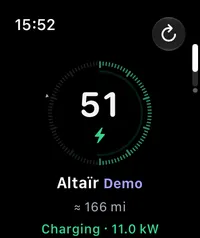
Apple Watch
Your car on your wrist.
- Charge level, status and range at a glance
- Complications for your main car and a second car
- Updated from your iPhone
Mac
A native Mac app, not a port.
- Your car's charge level in the menu bar
- Each car at a glance, with the day, the month and the last trip
- The same screens as on iPad, in a window
Up to 5 cars
Follow up to 5 cars from one account, on all your devices.
Your data, your way
What Voltessa records belongs to you.
- Full export as JSON and CSV
- Trips as CSV and GPX
- Account deletion from the app
In miles or kilometers, °F or °C, psi or bar.