
Your Tesla's real-world consumption and the Energy app
Where your Tesla shows its consumption in Wh/mi or Wh/km, why the range on screen differs, and what makes it vary: speed, cold, short trips, climate.
On this page
Your Tesla measures its own consumption, in watt-hours per mile or per kilometer, and that figure moves a lot from one trip to the next. Averaged over enough distance, it tells you more about your real range than the range shown next to the battery. This guide shows where your Tesla displays its consumption, why the range on the screen is a different thing, and what makes consumption change. For units and fair comparisons between cars, see our guide to understanding your car’s consumption.
Where your Tesla shows its consumption
The Energy app, in the app launcher, draws your actual consumption against the expected one. Its Drive tab shows consumption in real time, broken down by category, for the current drive or since the last charge, with range tips adapted to the trip. Its Trips tab compares real-time and average consumption, and gives a projected range based on the remaining energy and your average consumption over the last 10, 100 or 200 miles (15, 150 or 300 km): the longer the distance, the steadier the projection.
The Trips card on the touchscreen (Model 3 and Model Y), or Energy app > Trips, also lists the distance, the duration and the total and average energy since the last charge, for the current trip and for the trips you add. Consumption appears in Wh/mi or Wh/km depending on the car’s market and settings, and lower values mean more range. To compare with other units: 250 Wh/mi (0.25 kWh per mile) is about 15.5 kWh/100 km, or 4 mi/kWh, and 150 Wh/km is 15 kWh/100 km.
The range on the screen is not your real range
The range shown next to the battery is an estimate based on a fixed, rated consumption, which Tesla’s owner’s manual, European editions included, attributes to the U.S. EPA test. It does not adapt to your driving or to the conditions, so it can fall faster than the distance you cover; Tesla calls it a general guideline. For an estimate based on how you actually drive, use the projected range of the Energy app. If you prefer, Controls > Display > Energy Display shows the battery as a percentage instead.
In the UK and several European countries, Tesla also publishes the official WLTP combined consumption of each version on its support site. It comes from a standardized test: use it as a reference point, not as a forecast of your own consumption.
What makes consumption change on a Tesla
Tesla lists the factors that raise consumption while driving:
- Speed. Air resistance grows with the square of speed: according to Tesla, doubling your speed can take up to four times as much energy per mile.
- Cold. The car needs more energy to move and to heat the cabin and the battery, and cold air and wet roads add resistance. When the battery is cold, a blue snowflake shows that part of its energy is unavailable, and regenerative braking can be limited until it warms up.
- Short trips and stop-and-go traffic. Bringing the cabin and the battery up to temperature costs energy at every start, so very short trips show a higher average consumption.
- Heating and air conditioning. They run on the high-voltage battery. Seat and steering wheel heaters use less energy than heating the whole cabin.
- Hard acceleration. It uses noticeably more energy; Tesla describes Chill as the most energy-efficient acceleration mode, especially in cold weather.
- Tires, wheels and accessories. Under-inflated tires and third-party wheels can reduce range, and tire pressure drops in the cold. Roof racks, bike racks and trailers can raise consumption significantly, especially at speed; aero covers, if fitted, reduce wind resistance.
- Load, climbs, wind and open windows. A heavy load, climbing, headwinds, rain and open windows all add up. Going downhill gives part of the energy back through regenerative braking.
Habits that help, according to Tesla
- Precondition while plugged in. Warming the cabin and the battery from the Tesla app 30 to 45 minutes before you leave, or with a scheduled departure, uses grid power rather than the battery, and a warm battery recovers more energy when you slow down.
- Keep the car plugged in when it is cold. The charging system, not the battery, then keeps it warm.
- Check tire pressures. The recommended pressures are on the driver’s door pillar.
- Remove what you do not need. Roof racks, bike racks and unnecessary cargo.
- In winter, choose Chill and the seat heaters. Chill is set in Controls > Dynamics > Acceleration.
Reading your own figures fairly
Compare like with like: the same route in the same season, and monthly averages rather than single trips. Keep driving and parking apart: the Energy app shows what your Tesla uses while parked separately, in its Park tab, and our guide to Sentry Mode and battery drain while parked covers it in detail. Finally, the energy you pay for is higher than what the car reports, because of charging losses: see our guide to the cost of charging at home.
What Voltessa does
Voltessa records your Tesla’s trips automatically, from the data the car sends, starting when you connect it. For every trip of at least 1 km (0.6 mi) whose energy is known, it shows the consumption in the unit you choose (kWh/100 km, Wh/km, Wh/mi or mi/kWh), with the distance, the duration, the estimated energy, the average and top speed, the average outside temperature and the charge level at the start and end. That energy is what left the battery, regeneration deducted: it is not the energy you pay for at the plug.
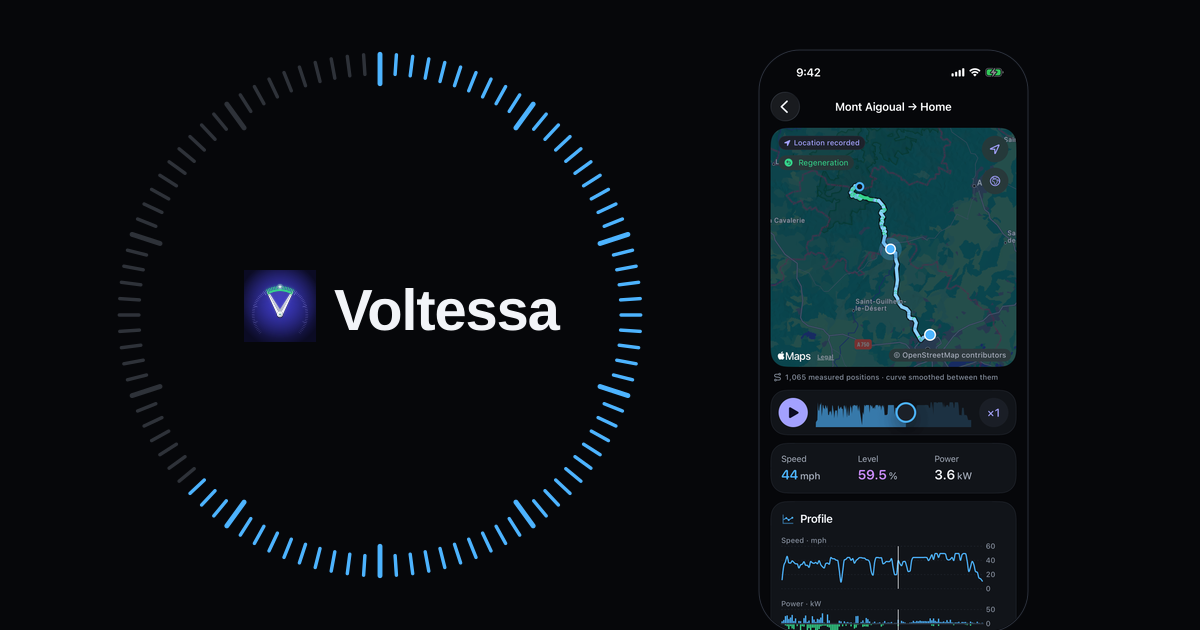
With Location and trips turned on in Voltessa, each trip is drawn on the map, colored by speed and regeneration, and can be replayed with speed, charge level and power; when the car reports its power, Voltessa also shows the energy recovered and the peak regeneration. You also see your consumption for the month, its curve by day, week, month or year and, once there is enough data, a comparison of the energy used while driving with the month before, split between the effect of distance and the effect of consumption. These figures say how much changed, not why: for the why, look at the factors above.
Energy figures are estimates, and the app marks them as such; trips whose energy is unknown, or shorter than 1 km, have no consumption. When data is missing, Voltessa shows the gap instead of hiding it.
Voltessa works with Tesla vehicles, on iPhone, iPad, Mac and Apple Watch. To turn consumption into money, read our guide to the cost of charging a Tesla.
Related articles
Sentry Mode and the energy your Tesla uses while parked
Why a parked Tesla loses charge (phantom drain), what Sentry Mode changes, how to measure the loss on your own car, and the settings that limit it.
kWh/100 km: understanding your car's consumption
How electric car consumption is measured in kWh/100 km, Wh/mi or mi/kWh, what changes it (speed, cold, heating, short trips) and how to compare it fairly.
Checking your Tesla's battery health
The car's own Battery Health screen and test, a certified report, or your charging data: three ways to check a Tesla battery, normal loss and the warranty.